 PixelyChat
STREAMER.BOT ALTERNATIVE
PixelyChat vs Streamer.bot.
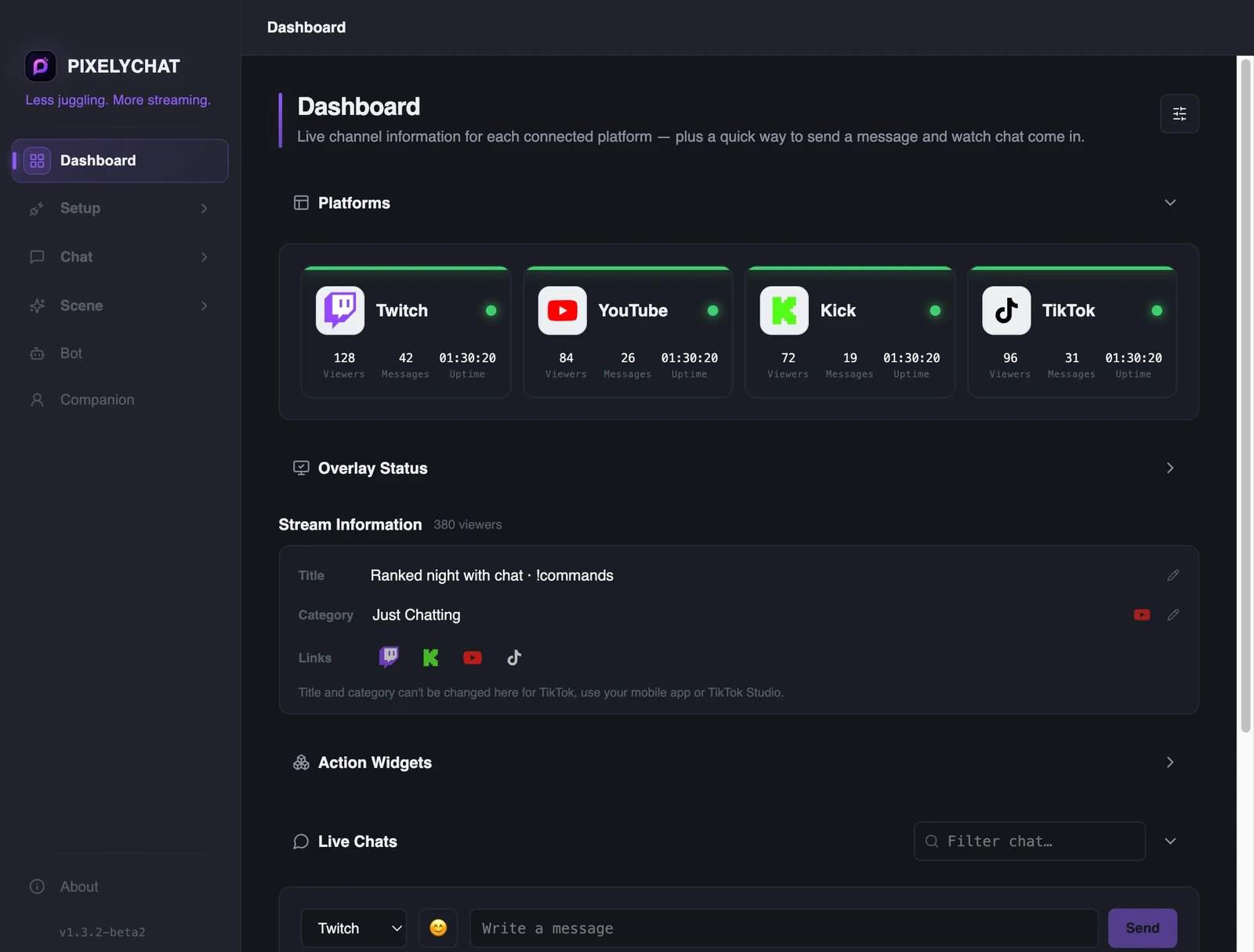
Streamer.bot is excellent for deep automation and scripting. PixelyChat takes a different approach: a simpler desktop workflow for unified chat, TTS, translation, overlays and alerts without requiring scripts for everyday tasks.
Free on Windows, macOS and Linux. No subscription or ads.
The main difference is what each tool optimizes for
This isn't a winner-takes-all comparison. Streamer.bot is the stronger fit for deep automation. PixelyChat is aimed at streamers who want a ready-to-use chat and alert workflow with less configuration.
Choose PixelyChat
If you want unified Twitch/YouTube/Kick/TikTok chat, TTS, translation and browser-source overlays in one straightforward app.
Choose Streamer.bot
If your stream depends on complex triggers, actions, variables, scripting and deep automation.
Use both
There is nothing wrong with running multiple tools when each handles a different job well.
When PixelyChat is the better fit
If your main problem is chat fragmentation rather than advanced automation, PixelyChat keeps the common tasks together without asking you to learn a scripting system.
- Unified multistream chat
- Built-in TTS and translation
- No-code alerts and chat controls
When Streamer.bot is the better fit
If you want deeply custom automation, Streamer.bot remains a strong choice. PixelyChat's goal isn't to replace every possible automation workflow.
- Complex triggers and actions
- Advanced scripting and variables
- Highly customized automation flows
Where the tools differ
Honestly? There are several excellent free tools in this space already, and PixelyChat wouldn't exist without streamers building great things and sharing them for free. This is a friendly comparison, not a takedown — if PixelyChat isn't the right fit for you, one of these probably is.
| PixelyChat | Caffeinated | Streamer.bot | Social Stream Ninja | SE.Live | |
|---|---|---|---|---|---|
| Price | Free | Free | Free | Free | Free |
| Operating Systems | Windows, macOS, Linux | Windows only | Windows only | Any (browser-based) | Wherever OBS runs |
| No-code setup | Yes | Yes | Optional (C# scripting available) | Yes | Yes |
| Built-in Translation | Yes | — | — | — | — |
| Multi-language Interface | Yes — 11 languages (UI, bot, alerts & TTS) | Yes (community-translated) | English only | Partial (community translations in progress) | Yes (web dashboard) |
| Text-to-Speech | Built-in | Built-in | Via companion app | Built-in | — |
| Write to Chat | Yes (not TikTok) | Yes (not TikTok) | Yes | Yes | View only |
| External Emote Support | 7TV, BTTV, FFZ | Yes | 7TV, BTTV, FFZ | 7TV, BTTV | — |
| Platforms Supported | 4 (Twitch, YouTube, TikTok, Kick) | 7+ (incl. Trovo, DLive) | 4 (Twitch, YouTube, Kick, Trovo) | 100+ | 4 for chat (Twitch, YouTube, X, Kick) |
| On-screen Event Alerts | Built-in themes, sounds & media — all platforms | Via extensions / scripting | Yes (deep automation) | Limited / via browser | Yes (SE library) |
| Follow / Sub / Raid Alerts | Yes — themed on-screen alerts | Yes | Yes | Yes | Yes |
| Donation Alerts | Via platform gift/cheer events | Yes | Yes | Yes | Yes |
| Channel Point Rewards (Twitch/Kick) | Custom visual, sound & spoken reaction per reward | — | Yes — deep triggers (Twitch only) | Yes — via Event Flow (Twitch & Kick) | Own Loyalty points, not native Channel Points |
| TikTok Gift Custom Alerts | Map any gift to its own reward | Grouped into Donation alerts | — | Yes — via Event Flow | — |
| Own Media Library | Upload sounds & visuals, or use bundled presets | Per-alert file picker, no central library | Via your own OBS sources | — | Yes — Stream Store asset library |
| Overlay Widgets (Goals, Stats & Activity) | Built-in — goals, live stats, activity & Now Playing | — | Via custom automation / OBS | Via custom overlays | Yes — widget & goal library |
| Update Stream Title | Yes | — | Yes | — | Yes |
| Update Stream Category | Yes | — | Yes | — | Yes |
| Copy Live Links | Yes | — | Via extensions / scripting | — | — |
| Send Emotes in Chat | Yes | Yes | Yes | Yes | View only |
| Mod Tools | Delete message, block / timeout | Local hide only | Timeout, ban & more | Block (dock-level) | Twitch only, via Chatbot |
| Chatbot | Built-in, no signup | Built-in, limited | Built-in, deep | Built-in, scriptable | Built-in |
| Commands | Cooldowns, access levels, random replies | Basic; scripting for more | Deep — actions & triggers | Scriptable custom commands | Variables & cooldowns |
| Automation | Greetings, shoutouts, event alerts, timers — no-code | Timers; events need scripting | Very deep — visual triggers | Event Flow node editor | Timers & modules |
| AI Chat | Free hosted AI included, no key needed | — (custom script + own key) | — (community extensions, own key) | Free via local Ollama, or own key | Via $(ai) variable, rate-limited |
| AI Companion / Co-host | Built-in — 2D avatar, voice, event reactions & AI chat | Via custom plugins / scripting | Via custom actions / extensions; voice control & TTS available | Built-in voice AI cohost | Partial — AI command variable & custom widgets |
| Best for | Chat unification + alerts + TTS + translation | General-purpose multi-platform chat | Deep automation & scripting | Aggregating a wide range of platforms | Overlays, alerts & multistreaming |
Based on our own research into each tool's public docs and websites as of writing — feature sets change often, so it's worth double-checking directly with each tool before deciding. Competitor features last checked: September 2026.
Frequently asked questions
Is PixelyChat trying to replace Streamer.bot?
Can I run both?
Which one is better for beginners?
Explore more
Related PixelyChat guides and features.
Ready to simplify your stream?
PixelyChat brings your chat, TTS, translation, alerts and moderation into one desktop app built around the way streamers actually work.